
Talking to the Windows debug API from ctypes
Most debuggers are written in C. We're building ours in Python, which means first solving a problem: Python can't call the native Windows API on its own. Part 1 builds that bridge with ctypes, from loading kernel32 to recreating Windows structs and function prototypes by hand.
by Penguin
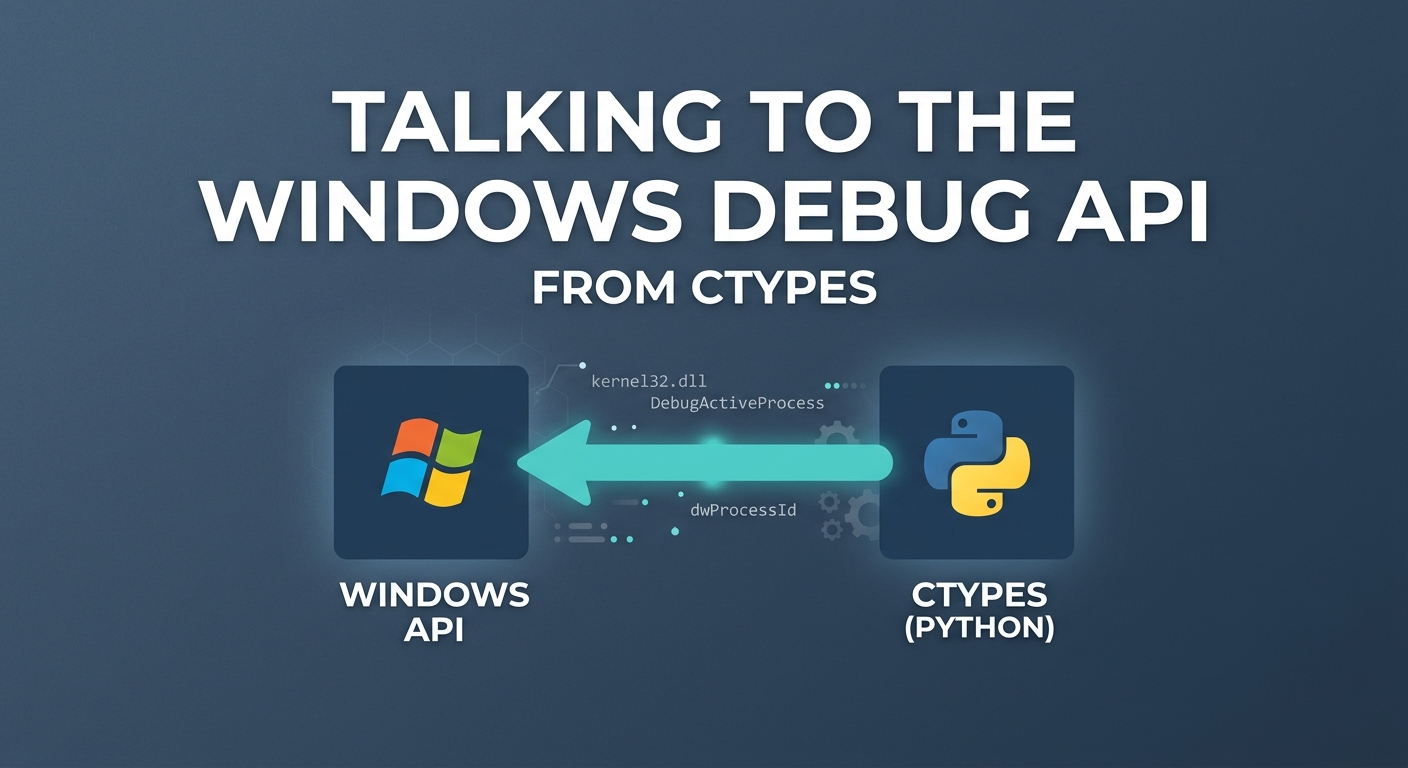
Before we attach to a single process, we have to make a choice that shapes the entire project: what language to build the debugger in.
Most debuggers are written in C or C++, and for good reasons. They're low-level languages that talk to the operating system natively, with no translation layer, which means direct access to the Windows API, fine control over memory, and speed. If you're building something like WinDbg or x64dbg, that's the right call.
But we're choosing Python, for its ease of use and its ecosystem. Python is fast to write and easy to read, with none of the boilerplate or compile cycle that C demands.
The problem: Python can't call the Windows API
We picked Python for its ease, but here’s the catch:
Everything a debugger does on Windows runs through functions exported by
kernel32.dll:
DebugActiveProcess— attach to a process as its debuggerWaitForDebugEvent— receive the next debug eventReadProcessMemory— read another process's memory
These are native functions (compiled machine code) and they expect C data types:
DWORD, HANDLE, raw pointers. Some of them take or fill C structs with an exact byte layout in memory. Python has none of that.
So this is the one place Python's convenience runs out. The very thing that makes it easy to write, that it hides low-level details like memory and types, is the thing standing between us and the API a debugger depends on.
The question, then: how do we call these native Windows functions from Python?
The answer is a module built into Python for exactly this: ctypes.
The bridge: ctypes
ctypes is part of Python's standard library, nothing to install. It does exactly what we need: it loads a DLL, lets us call the native functions inside it. It's the bridge across the gap the last section described.
First, let's see how to load a DLL with ctypes so we can call the functions it exports.
import ctypes

kernel32 = ctypes.WinDLL("kernel32", use_last_error=True)
We call into ctypes and pick a loader, and which loader we use depends on the calling convention the DLL's functions were exported with. The Windows API uses stdcall, so we use WinDLL, the loader for stdcall-exported functions like the ones in kernel32.
That line loads kernel32.dll and hands us an object — kernel32 — whose attributes are the functions the DLL exports.
You can see what functions a DLL exports with dumpbin /exports kernel32.dll (from the Visual Studio tools). kernel32 exports well over a thousand functions; here are a few of them:
$ dumpbin /exports C:\Windows\System32\kernel32.dll

Dump of file C:\Windows\System32\kernel32.dll

............
...................
.......................
    ordinal hint RVA      name

          1    0          AcquireSRWLockExclusive (forwarded to NTDLL.RtlAcquireSRWLockExclusive)
          2    1          AcquireSRWLockShared (forwarded to NTDLL.RtlAcquireSRWLockShared)
          3    2 00036D40 ActivateActCtx
          4    3 0000E4E0 ActivateActCtxWorker
          5    4 00057F20 ActivatePackageVirtualizationContext
          6    5 00045480 AddAtomA
          7    6 000370C0 AddAtomW
          8    7 00057C40 AddConsoleAliasA
............
...................
.......................
Every one of those is now reachable straight from Python through our loaded object, kernel32.ActivateActCtx, kernel32.ActivateActCtxWorker, kernel32.ActivatePackageVirtualizationContext, and so on.
The second argument, use_last_error=True, is easy to skip and easy to regret. Windows API functions rarely raise an error the way Python code does, they signal failure by returning zero or NULL and setting a separate per-thread error code you retrieve afterward with GetLastError(). Other operations can overwrite that code before you read it. Passing use_last_error=True tells ctypes to capture and preserve it after each call, so we can always ask why something failed:
err = ctypes.get_last_error()So with a single line, Python can reach into kernel32 and call its exports. But calling a function is one thing; calling it correctly is another. Right now ctypes doesn't know what types these functions expect or return and left to guess, it guesses in ways that break silently on 64-bit Windows. Fixing that means describing, in Python, the structs and function signatures the API works with.
Describing a struct in Python
Here's the thing about ctypes: on its own, it has no idea what a function expects or returns. It doesn't know how many parameters a function takes, what type each one is, or what comes back. And when a function works with a struct(a block of memory laid out field by field), ctypes has no notion of what that struct looks like: how big it is, what fields it has, or where each one sits in memory.
So if a Windows function is going to fill a struct for us, we first have to describe that struct to ctypes — spell out its fields and their types, in the exact layout the C definition uses. Only then can ctypes hand the function a correctly-sized block of memory to write into, and read the results back out as Python values.
For example, when we call the Windows function WaitForDebugEvent, it hands us the next debug event by filling a DEBUG_EVENT structure, so before we can call it, ctypes needs to know what that structure looks like.
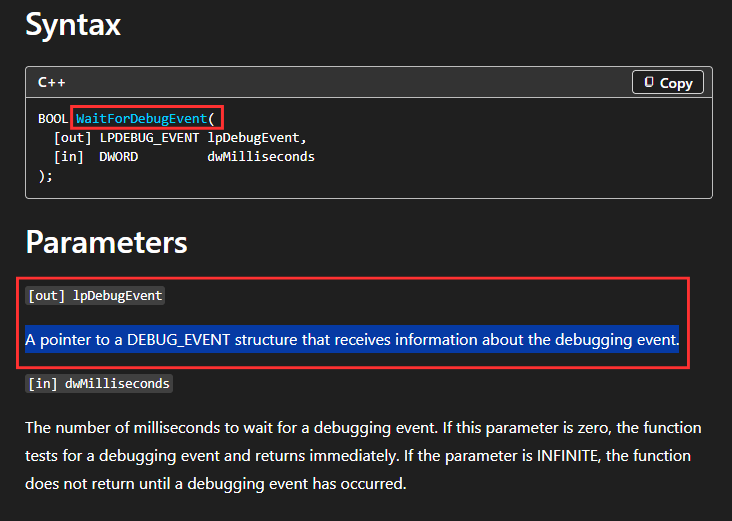
And here is how the DEBUG_EVENT structure looks like.
typedef struct _DEBUG_EVENT {
  DWORD dwDebugEventCode;
  DWORD dwProcessId;
  DWORD dwThreadId;
  union {
    EXCEPTION_DEBUG_INFO      Exception;
    CREATE_THREAD_DEBUG_INFO  CreateThread;
    CREATE_PROCESS_DEBUG_INFO CreateProcessInfo;
    EXIT_THREAD_DEBUG_INFO    ExitThread;
    EXIT_PROCESS_DEBUG_INFO   ExitProcess;
    LOAD_DLL_DEBUG_INFO       LoadDll;
    UNLOAD_DLL_DEBUG_INFO     UnloadDll;
    OUTPUT_DEBUG_STRING_INFO  DebugString;
    RIP_INFO                  RipInfo;
  } u;
} DEBUG_EVENT, *LPDEBUG_EVENT;
You can find the structures and prototypes on Microsoft's website | https://learn.microsoft.com/en-us/windows/win32/api/minwinbase/ns-minwinbase-debug_event
Our job is to recreate that layout in Python, field for field, so ctypes builds a memory block with the exact same shape.
from ctypes import wintypes

class DEBUG_EVENT(ctypes.Structure):
    _fields_ = [
        ("dwDebugEventCode", wintypes.DWORD),
        ("dwProcessId",      wintypes.DWORD),
        ("dwThreadId",       wintypes.DWORD),
        ("u",                _DEBUG_EVENT_UNION),   # the union above
    ]
Each field maps one-to-one: DWORD in C becomes wintypes.DWORD in ctypes, in the same order. The u field is a union, which we've referenced here as its own type, _DEBUG_EVENT_UNION, and which we'll define next. Once this struct matches the C definition, ctypes knows the shape: when WaitForDebugEvent writes bytes into a DEBUG_EVENT, we can read them back through the field names — event.dwDebugEventCode, event.dwProcessId, and so on.
That u field isn't a normal struct field, it's a union, and unions work differently in a way worth understanding.
A struct lays its fields out one after another, each with its own space. A union overlaps all its members in the same space: only one is valid at a time, and the union is only as big as its largest member.
To be clear about how this fits together: the union isn't a separate thing off to the side, it lives inside DEBUG_EVENT as its last field, u. That's exactly how the C definition has it: three DWORDs, then a union member nested at the end. We just define the union as its own type and then reference it as that field.
from ctypes import wintypes

# We define _DEBUG_EVENT_UNION

class _DEBUG_EVENT_UNION(ctypes.Union):
    _fields_ = [
        ("Exception",         EXCEPTION_DEBUG_INFO),
        ("CreateThread",      CREATE_THREAD_DEBUG_INFO),
        ("CreateProcessInfo", CREATE_PROCESS_DEBUG_INFO),
        ("ExitThread",        EXIT_THREAD_DEBUG_INFO),
        ("ExitProcess",       EXIT_PROCESS_DEBUG_INFO),
        ("LoadDll",           LOAD_DLL_DEBUG_INFO),
        ("UnloadDll",         UNLOAD_DLL_DEBUG_INFO),
        ("DebugString",       OUTPUT_DEBUG_STRING_INFO),
        ("RipInfo",           RIP_INFO),
    ]

# Here is the DEBUG_EVENT struct

class DEBUG_EVENT(ctypes.Structure):
    _fields_ = [
        ("dwDebugEventCode", wintypes.DWORD),
        ("dwProcessId",      wintypes.DWORD),
        ("dwThreadId",       wintypes.DWORD),
        ("u",                _DEBUG_EVENT_UNION),   # the union above
    ]
Notice that each member here isn't a simple type like wintypes.DWORD, it's another struct EXCEPTION_DEBUG_INFO, LOAD_DLL_DEBUG_INFO, and so on), each with its own fields that we'd describe the same way we described DEBUG_EVENT. We're not defining those here, for now we're just showing how the union fits together. We'll build out the ones we actually need later, when we get to reading events.
Telling ctypes about functions prototype
We've described the structs. The other half of the picture is the functions themselves, and ctypes needs to be told about those too, for the same reason it needed the structs: on its own, it doesn't know what arguments a function takes or what it returns.
We have to declare each function's signature explicitly, so ctypes knows what arguments it takes and what it returns. Just like with the struct, we get the real prototype from Microsoft's documentation, then recreate it in Python.
Let's do it for WaitForDebugEvent — the function that fills the DEBUG_EVENT we defined earlier. Its C prototype is:
BOOL WaitForDebugEvent(
  [out] LPDEBUG_EVENT lpDebugEvent,
  [in]  DWORD         dwMilliseconds
);
From Microsoft's website: https://learn.microsoft.com/en-us/windows/win32/api/debugapi/nf-debugapi-waitfordebugevent
It takes two arguments, a pointer to a DEBUG_EVENT for it to fill, and a timeout in milliseconds(dwMilliseconds), and returns a BOOL. We translate that into ctypes:
kernel32.WaitForDebugEvent.argtypes = [
    ctypes.POINTER(DEBUG_EVENT),   # lpDebugEvent — pointer to our struct which we defined earlier
    wintypes.DWORD,                # dwMilliseconds
]
kernel32.WaitForDebugEvent.restype = wintypes.BOOL # The return type
Each parameter maps straight across: LPDEBUG_EVENT (a pointer to a DEBUG_EVENT) becomes ctypes.POINTER(DEBUG_EVENT) (the structure we defined earlier), and notice this is exactly why we defined that struct first; the function's signature refers to it. DWORD becomes wintypes.DWORD, and the BOOL return becomes restype = wintypes.BOOL. Now ctypes knows to pass a real pointer to our struct, let the function write the event into it, and hand back the boolean result.
Wrapping up
With structs and prototypes in place, ctypes finally knows enough to call the Windows debug API correctly and hand back the results, the right arguments, the right struct layouts. That's the entire foundation the rest of this debugger stands on. Everything from here is more of the same: more structs, more prototypes, declared the same way, used to do progressively more interesting things.